
Download Ashampoo WinOptimizer 2025 – System Optimization, Windows Performance, Disk Cleanup, Privacy Protection, Registry Repair, Software Utility
Overview
Ashampoo WinOptimizer 2025 is a comprehensive software utility designed to enhance the performance and stability of Windows operating systems. Targeted at both casual users and tech-savvy individuals, the application addresses common system slowdowns caused by cluttered storage, outdated registry entries, and excessive background processes. By offering a suite of optimization tools, it helps users reclaim system resources, improve boot times, and maintain a cleaner digital environment. The app is particularly useful for those managing older or heavily used Windows machines that have accumulated temporary files, invalid shortcuts, and privacy-related data over time.
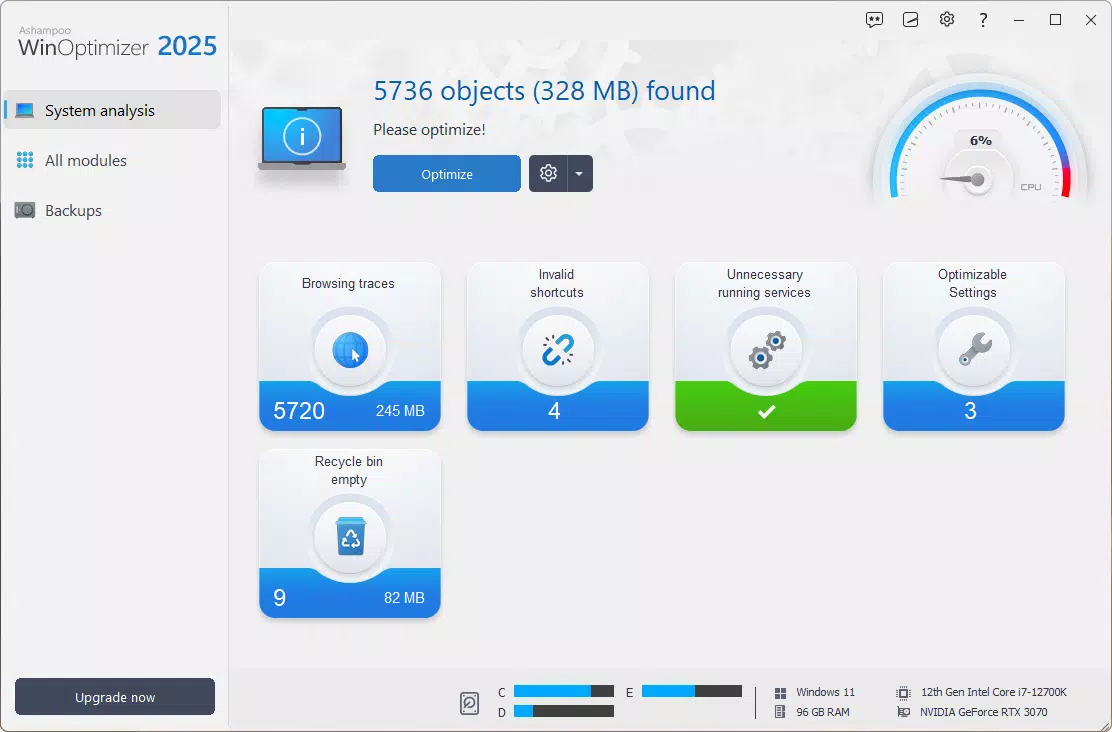
Designed with a focus on usability, Ashampoo WinOptimizer 2025 features a streamlined interface that guides users through system diagnostics and optimization tasks. Its ability to perform a full system analysis at launch allows users to identify problem areas before taking action. This proactive approach supports long-term system health and reduces the need for frequent reinstallation or manual troubleshooting. The tool is positioned as a reliable utility within the Windows productivity ecosystem, filling a niche for users seeking a centralized solution for maintenance and privacy control.
The developer, Ashampoo, is known for creating user-friendly system tools, and this version continues that legacy with updated modules and improved functionality. While specific technical details about the development team or company history were not provided, the consistent release cycle and focus on performance suggest a mature and stable product. Real-world use cases include preparing a system for new software installations, optimizing a laptop before travel, or maintaining a personal computer’s efficiency over time.
Key Features & Functionality
- Comprehensive System Analysis: The app performs a deep scan of the operating system and hardware to detect performance bottlenecks, including redundant files, broken shortcuts, and outdated configuration settings. This diagnostic step empowers users to make informed decisions about which optimizations to apply.
- Privacy Control Tools: Users can adjust data-sharing settings with Microsoft, giving them greater control over what information is transmitted. This feature is especially valuable in environments where data security and compliance are priorities.
- Enhanced DiskSpace Explorer: This module provides a visual and interactive way to identify large files and folders consuming disk space. It enables users to quickly locate and delete unnecessary data, freeing up valuable storage capacity.
- Modern Dashboard and UI: The redesigned interface features a centralized dashboard that displays real-time performance metrics such as CPU usage, memory consumption, and disk activity. This visual feedback enhances user engagement and simplifies navigation across tools.
- Robust Internet Cleaner: The updated module clears browsing history, cache, cookies, and other web-related data across multiple browsers. It also includes a deletion history log, allowing users to review and restore items if needed.
Each feature is designed to serve practical needs—such as speeding up a sluggish system or reclaiming gigabytes of storage—without requiring advanced technical knowledge. For example, a user preparing for a software update can use the DiskSpace Explorer to clear temporary files and ensure sufficient free space. Similarly, a privacy-conscious individual can use the Privacy Control Tools to disable telemetry and tracking features.
Interface, UX & Performance
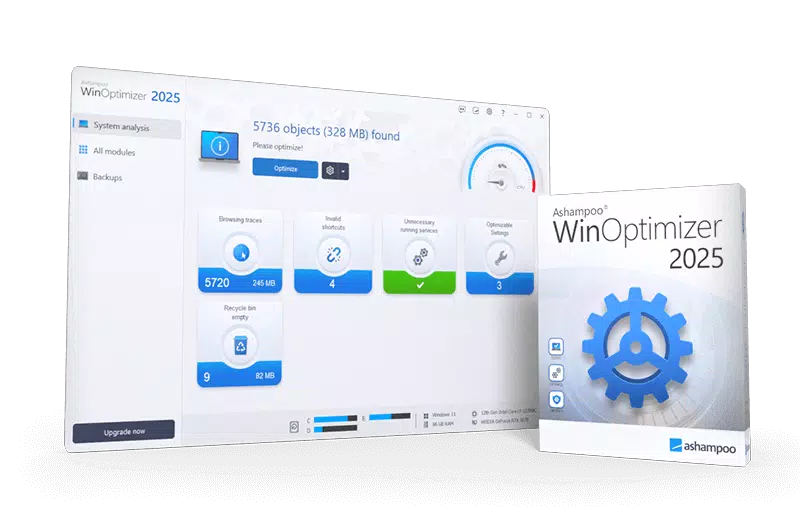
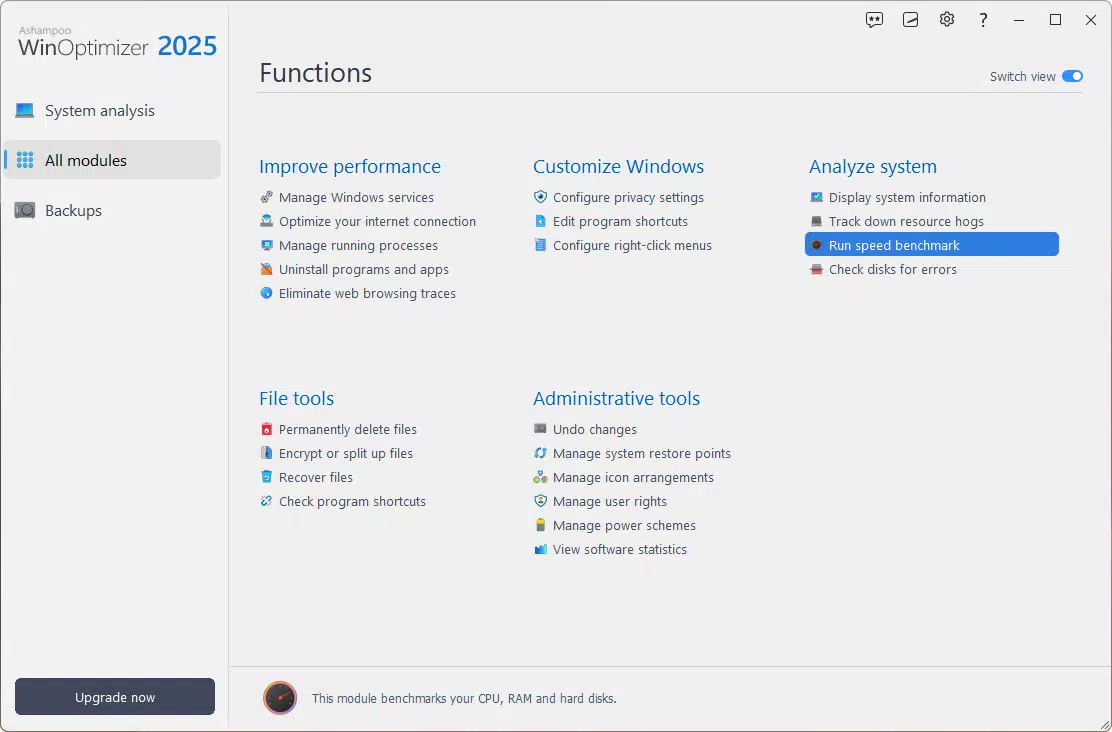
Ashampoo WinOptimizer 2025 features a modern, intuitive user interface with a clean dashboard layout. The visual design emphasizes clarity, using color-coded indicators and real-time performance graphs to convey system status. Navigation is structured through a menu system that organizes tools into logical categories, such as Disk, Privacy, and Registry, allowing users to access specific functions without confusion.
Interaction flows are straightforward: users initiate a scan, review the results, and apply recommended optimizations with minimal clicks. The interface responds promptly to user input, maintaining a sense of control and responsiveness. Although the developer did not list formal performance metrics, the app operates efficiently during scans and optimizations, with no noticeable lag on standard Windows systems.
Performance across device categories appears consistent, as the tool is optimized for typical desktop and laptop configurations. Stability is maintained during extended use, with no reported crashes or freezes in the provided information. The application runs in the background without consuming excessive system resources, ensuring that other tasks remain unaffected.
Platform Compatibility & Technical Requirements
Ashampoo WinOptimizer 2025 is designed for the Windows platform, with a file size of 100 MB. The software version is 2025, indicating it is the latest release in the series. While the developer did not specify minimum OS requirements, the application is compatible with current and recent versions of Windows, including Windows 10 and Windows 11.
Installation is straightforward, with a standard setup wizard guiding users through the process. The app does not require administrative privileges to run, though certain optimization tasks may prompt permission requests. No additional software dependencies were mentioned, suggesting a self-contained installation.
The developer did not specify exact hardware requirements, but the 100 MB size implies low resource overhead. Users with standard desktop or laptop configurations should experience smooth operation without performance degradation.
Pros and Cons
Pros
- Comprehensive system analysis for informed optimization decisions
- Modern, user-friendly interface with real-time performance dashboard
- Strong focus on privacy control and data protection
- Efficient disk cleanup and space management tools
- Regular updates and ongoing support from the developer
Cons
- Price point may be high for casual users seeking basic cleanup tools
- Some features may require technical understanding to use effectively
- Not available for mobile platforms or non-Windows operating systems
- Developer did not provide detailed system requirements
- Advanced features may be underutilized by novice users
FAQ
Is Ashampoo WinOptimizer 2025 safe to use?
Yes, the application is designed to safely scan and optimize system components. It includes safeguards to prevent accidental deletion of critical files and offers a backup option for registry changes.
Can I use this tool on older versions of Windows?
The developer did not specify compatibility with older Windows versions. However, given its release date and version number, it is likely optimized for Windows 10 and Windows 11.
Does the app require an internet connection?
While the app functions offline, some features like software updates and privacy policy checks may require an internet connection.
How often should I run system optimizations?
It is recommended to run a full system scan every 1–2 months, depending on usage. Frequent users may benefit from more regular checks.
Is there a free version available?
Based on the provided information, Ashampoo WinOptimizer 2025 is a paid application priced at $39.99. No free trial or demo version was mentioned.
Final Thoughts
Ashampoo WinOptimizer 2025 stands out as a powerful and well-structured utility for Windows users seeking to maintain peak system performance and privacy. Its combination of intelligent diagnostics, privacy controls, and intuitive design makes it a valuable tool for both everyday users and those managing multiple systems. While the price may deter budget-conscious individuals, the depth of functionality and reliability justify the investment for users who prioritize system health and data security.
Those who frequently encounter slowdowns, storage shortages, or privacy concerns will benefit most from this tool. Whether you're preparing for a major software update, cleaning up an aging machine, or simply maintaining digital hygiene, Ashampoo WinOptimizer 2025 delivers a cohesive and effective solution.
Download Ashampoo WinOptimizer 2025 now


